
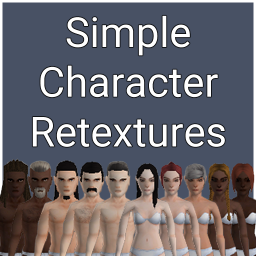
[B41/42] Simple Overhaul: Character Retextures (male and female + makeup) — Zomboid Mod ID & 1-Click Install
For Working in Singleplayer and Multiplayer. Mod should be installed for both: server and client. I made a retexture for male and female characters because I do not like weird blurry faces with a greenish skin tones which incompatible with some underwear t
376,379 Subscribers
16,609 Favorites
16.3 MB
Updated 2024-12-28
Build 41 Realistic Textures Build 42
1-Click Server Setup: Workshop ID & Config Lines
Workshop ID
2803364788
servertest.ini Lines (Mod ID from the Workshop description)
WorkshopItems=2803364788
Mods=SimpleRetexturesMakeup
SteamCMD Terminal Download (run in shell, not in config files)
steamcmd +login anonymous +workshop_download_item 108600 2803364788 +quit
How to Install [B41/42] Simple Overhaul: Character Retextures (male and female + makeup) on a Dedicated Server
- Copy the Workshop ID
2803364788(or add multiple mods using the 1-Click Modlist Builder). - Paste
WorkshopItems=2803364788andMods=SimpleRetexturesMakeupintoservertest.ini. This mod lists 7 Mod IDs (SimpleRetexturesMakeup,SimpleRetexturesFemaleBarbie,SimpleRetexturesFemaleNude,SimpleRetexturesFemaleUnderware,SimpleRetexturesMaleKen,SimpleRetexturesMaleNude,SimpleRetexturesMaleUnderwear) — usually variants or optional sub-mods; enable only the ones you need, separated by;. On Build 42, prefix each Mod ID with a backslash (e.g.Mods=\SimpleRetexturesMakeup). - Restart your Zomboid dedicated server and verify the mod loads in the server console.
Mod Metadata
| Game | Project Zomboid |
|---|---|
| Workshop ID | 2803364788 |
| Subscribers | 376,379 |
| Favorites | 16,609 |
| File Size | 16.3 MB |
| Last Updated | 2024-12-28 |