
Clean Ashes — Zomboid Mod ID & 1-Click Install
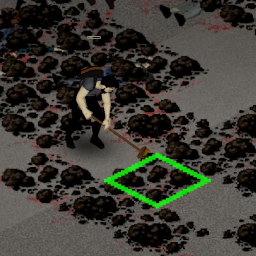
Bring sweeping into the 21st century and (partially) free yourself from the tyranny of the context menu. You must have a broom, twig broom, trowel, entrentching tool or shovel (thanks for pointing out shovels, Derrick da Fox) in your inventory. Right click
289,627 Subscribers
9,991 Favorites
1.3 MB
Updated 2026-05-28
Build 41 Build 42
1-Click Server Setup: Workshop ID & Config Lines
Workshop ID
2816646537
servertest.ini Lines (Mod ID from the Workshop description)
WorkshopItems=2816646537
Mods=cleanashes
SteamCMD Terminal Download (run in shell, not in config files)
steamcmd +login anonymous +workshop_download_item 108600 2816646537 +quit
How to Install Clean Ashes on a Dedicated Server
- Copy the Workshop ID
2816646537(or add multiple mods using the 1-Click Modlist Builder). - Paste
WorkshopItems=2816646537andMods=cleanashesintoservertest.ini. On Build 42, prefix each Mod ID with a backslash (e.g.Mods=\cleanashes). - Restart your Zomboid dedicated server and verify the mod loads in the server console.
Mod Metadata
| Game | Project Zomboid |
|---|---|
| Workshop ID | 2816646537 |
| Subscribers | 289,627 |
| Favorites | 9,991 |
| File Size | 1.3 MB |
| Last Updated | 2026-05-28 |