
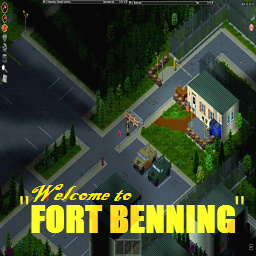
Fort Benning — Zomboid Mod ID & 1-Click Install
This mod adds the military object "Fort Benning". To make this mod works correctly you need to start new game Game version is build 41. What's in this zone? You will find military hospital, barracks, 2 medical stations, military apartments, a campground, 2
364,369 Subscribers
11,532 Favorites
1.8 MB
Updated 2022-01-06
Map Build 41 Realistic Military
1-Click Server Setup: Workshop ID & Config Lines
Workshop ID
2693585128
servertest.ini Lines (Mod ID from the Workshop description)
WorkshopItems=2693585128
Mods=Fort Benning
Map=Fort Benning;Muldraugh, KY
SteamCMD Terminal Download (run in shell, not in config files)
steamcmd +login anonymous +workshop_download_item 108600 2693585128 +quit
How to Install Fort Benning on a Dedicated Server
- Copy the Workshop ID
2693585128(or add multiple mods using the 1-Click Modlist Builder). - Paste
WorkshopItems=2693585128andMods=Fort Benningintoservertest.ini. This is a map mod: keep theMap=line, with vanillaMuldraugh, KYlast. On Build 42, prefix each Mod ID with a backslash (e.g.Mods=\Fort Benning). - Restart your Zomboid dedicated server and verify the mod loads in the server console.
Mod Metadata
| Game | Project Zomboid |
|---|---|
| Workshop ID | 2693585128 |
| Subscribers | 364,369 |
| Favorites | 11,532 |
| File Size | 1.8 MB |
| Last Updated | 2022-01-06 |