
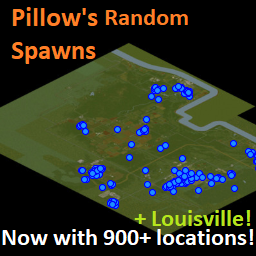
Pillow's Random Spawns [B42] — Zomboid Mod ID & 1-Click Install
Pillow's Random Spawns will not likely be update to B42 Stable for a while. This person has a great and massive collection of random spawns as well check it out: https://steamcommunity.com/sharedfiles/filedetails/?id=3709109042 There are 2,689 hand picked
275,028 Subscribers
14,965 Favorites
45.2 MB
Updated 2025-12-17
Build 41 Build 42
1-Click Server Setup: Workshop ID & Config Lines
Workshop ID
1911132112
servertest.ini Lines (Mod ID from the Workshop description)
WorkshopItems=1911132112
Mods=ManySpawnsLouisville
Map=Many Spawns Louisville;Audobon;Downtown;East Market;Germantown;Iroquois Park;Limerick;Parkwood;Portland;Wyandotte;Many Spawns Casual;Many Spawns root;Muldraugh, KY
SteamCMD Terminal Download (run in shell, not in config files)
steamcmd +login anonymous +workshop_download_item 108600 1911132112 +quit
How to Install Pillow's Random Spawns [B42] on a Dedicated Server
- Copy the Workshop ID
1911132112(or add multiple mods using the 1-Click Modlist Builder). - Paste
WorkshopItems=1911132112andMods=ManySpawnsLouisvilleintoservertest.ini. This mod lists 10 Mod IDs (ManySpawnsLouisville,ManySpawnsLouisvilleByNeighborhood,ManySpawns,ManySpawnsAll,ManySpawnsAnywhereBut,1911132112,ManySpawnsLocation,ManySpawnsProfession,ManySpawnsMP,ManySpawnsVariations) — usually variants or optional sub-mods; enable only the ones you need, separated by;. This is a map mod: keep theMap=line, with vanillaMuldraugh, KYlast. On Build 42, prefix each Mod ID with a backslash (e.g.Mods=\ManySpawnsLouisville). - Restart your Zomboid dedicated server and verify the mod loads in the server console.
Mod Metadata
| Game | Project Zomboid |
|---|---|
| Workshop ID | 1911132112 |
| Subscribers | 275,028 |
| Favorites | 14,965 |
| File Size | 45.2 MB |
| Last Updated | 2025-12-17 |