
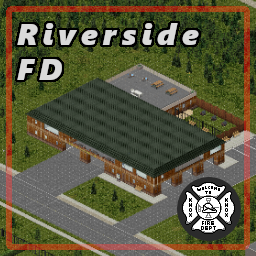
Riverside Fire Department — Zomboid Mod ID & 1-Click Install
A well equipped fire department to assist with emergencies in Riverside and the surrounding area. It adds the following: Fire Department Camping/Weapons shop Garage storage Gas station Info: Cell 22:17 Game version 41.78 if you like the mod I'm happy about
365,628 Subscribers
8,461 Favorites
2.7 MB
Updated 2022-08-03
building Map
1-Click Server Setup: Workshop ID & Config Lines
Workshop ID
2799120190
servertest.ini Lines (Mod ID from the Workshop description)
WorkshopItems=2799120190
Mods=Riverside Fire Department
Map=Riverside Fire Department;Muldraugh, KY
SteamCMD Terminal Download (run in shell, not in config files)
steamcmd +login anonymous +workshop_download_item 108600 2799120190 +quit
How to Install Riverside Fire Department on a Dedicated Server
- Copy the Workshop ID
2799120190(or add multiple mods using the 1-Click Modlist Builder). - Paste
WorkshopItems=2799120190andMods=Riverside Fire Departmentintoservertest.ini. This is a map mod: keep theMap=line, with vanillaMuldraugh, KYlast. On Build 42, prefix each Mod ID with a backslash (e.g.Mods=\Riverside Fire Department). - Restart your Zomboid dedicated server and verify the mod loads in the server console.
Mod Metadata
| Game | Project Zomboid |
|---|---|
| Workshop ID | 2799120190 |
| Subscribers | 365,628 |
| Favorites | 8,461 |
| File Size | 2.7 MB |
| Last Updated | 2022-08-03 |